WeChat Storage on Mac: Cache, Chat History, and Safe Cleanup

WeChat growing large on a Mac is common, but "taking up space" is really several different things, and looking at them as one is how files get deleted by mistake. The first step to reclaiming space is not deleting, it is telling apart cache, chat history, downloads, and the app itself. Chat history is kept by default; do not clear it as if it were cache.
This page splits WeChat's disk use on a Mac into layers, then explains what to do
with each. It uses "Mole" only for Mole for Mac at mole.fit and its own mo
command line tool. Note that Apple's Messages and WeChat are different apps; to
clear Messages attachments, see clear Messages storage on
Mac.
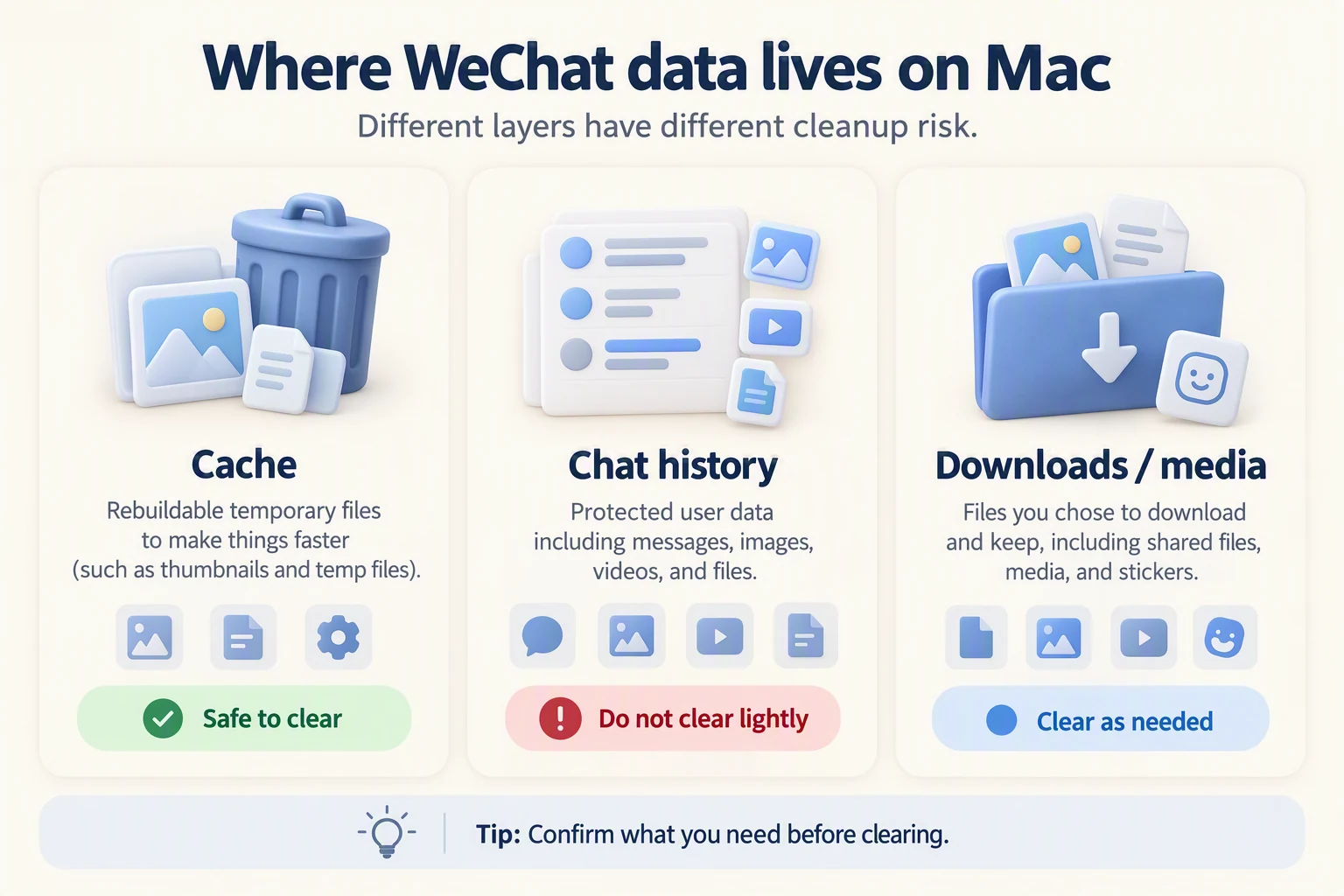
Cache, chat history, downloads, and the app are not the same
Split WeChat's footprint into four kinds first, then handle one kind at a time. To reclaim space, leave the chat history alone.
| Kind | Typical contents | What happens if you delete it | How to handle it first |
|---|---|---|---|
| Cache | Temporary copies of images, video, files, stickers | Re-downloaded or rebuilt on next open; no original record lost | Clearable, prefer WeChat's own cleanup |
| Chat history | The message database and its local media | May be the only local copy; hard to recover once gone | Keep by default; back up or migrate first |
| Downloads | Files you saved locally, documents you received | You must fetch them again from the sender or the cloud | Confirm one by one; never delete a whole folder |
| App bundle | The WeChat app and the data it needs to run | Affects launch and login state | Touch only when uninstalling; leave it in daily use |
One sentence to decide: cache can go, chat history stays by default, downloads are reviewed one by one, and the app bundle is left alone until you uninstall.
What you can safely handle inside WeChat
Prefer WeChat's own storage management screen instead of deleting from system folders by hand. The current Mac version has a storage or cache management entry in Settings that clears temporary data by type. The exact label depends on the WeChat version on your Mac, since interface wording changes.
As you go, separate two things: downloads and media you can fetch again, where deleting costs at most one re-download; and history that exists only locally, where deleting means it is gone. Clearing cache is not the same as clearing chats. WeChat's cache cleanup touches temporary copies only and does not decide to remove chat history for you.
Chat history: kept by default
The chat database and its local media are often the only local copy of those conversations. It is not shaped like cache: cache is a temporary file that can be rebuilt, while chat history is your data.
So before any destructive step, back up or migrate the chat history. WeChat has its own chat migration and backup features; run one before uninstalling or switching machines. The tested software list, including WeChat's uninstall and backup order, is at the tested software list. Do not write "delete chat history" as a default action or as "safe cleanup"; that is not the routine way to reclaim space.
Check the size with a disk view (do not guess GB)
Measure before you delete. Use Storage settings, or an Analyze-style disk view, to find the WeChat-related folders and see how large they actually are. How much WeChat uses varies a lot between Macs, so do not copy someone else's GB figure; measure on your own machine.
Only at this step does the product enter. Mole's Clean and Analyze surface communication-app candidates with their paths and sizes for review; scanning is free and needs no license, and you decide what to remove. A license is only required to actually delete, and each paid tool runs twice for free before asking. It will not treat your chat history as junk on your behalf.
A safe order
- Measure: read the real size of WeChat-related folders in Storage settings or a disk view.
- Classify: use the table above to tell cache, chat history, downloads, and the app bundle apart.
- Use WeChat's built-in cleanup and backup first, rather than going straight into system folders.
- To review leftovers, quit WeChat completely first.
- Never delete a whole folder under Library that carries WeChat or Tencent in its name; it mixes the chat database with data shared across products.
For a general disk cleanup that has nothing to do with WeChat, how to free up space on Mac is the ordered checklist.
Further reading
- Which Mac caches are safe to delete: the general rules for judging cache.
- Is Mole safe: exactly what Mole deletes and what it refuses to touch.
- How to free up space on Mac: the overall cleanup order, not tied to any one app.
FAQ
Does clearing cache lose my chat history?
No. Cache is a temporary copy of images, video, and the like; clearing it means the next open reloads it, and it does not affect the chat history itself. Use WeChat's own cleanup entry, though, rather than deleting from system folders.
Does uninstalling WeChat delete my chat history?
Uninstalling the app is not the same as deleting the data. Chat history lives separately in its container and database, and whether to remove it is a separate choice. Back up or migrate with WeChat's own feature before uninstalling or switching machines; the order is at the tested software list.
Can I just delete the Library folders with WeChat or Tencent in the name?
Deleting a whole folder is not advisable. The directories under ~/Library mix
the chat database with data shared across several Tencent products, and a wrong
delete cannot be recovered. Quit WeChat completely, then review item by item
rather than removing a folder by its name.
Will Mole delete my chat history by default?
No. Mole scans and shows the list, lets you review before acting, and does not preselect communication data. That matches the review-before-delete approach in is Mole safe: it asks you to confirm rather than clearing the record for you.