Testing Hundreds of Mac Apps for Mole

I have been doing something rather repetitive for Mole. To improve uninstalling and leftover cleanup, I collected more than 300 Mac apps from China and elsewhere, over 100 GB of downloads. I split them into 30 groups of ten and had AI use computer interaction to download them from their official sites, install them on my Mac, inspect their directories, update bundles and startup items, then uninstall them and look for leftovers to fill gaps in Mole’s rules.
From 100 to 300, then 549
I originally planned to test 100 common apps. Then I thought I might as well do another hundred, and another. Later the collection reached 549, including App Store versions and extensions. I normally try to keep my Mac to about 30 apps. This is what the desktop looked like during testing.
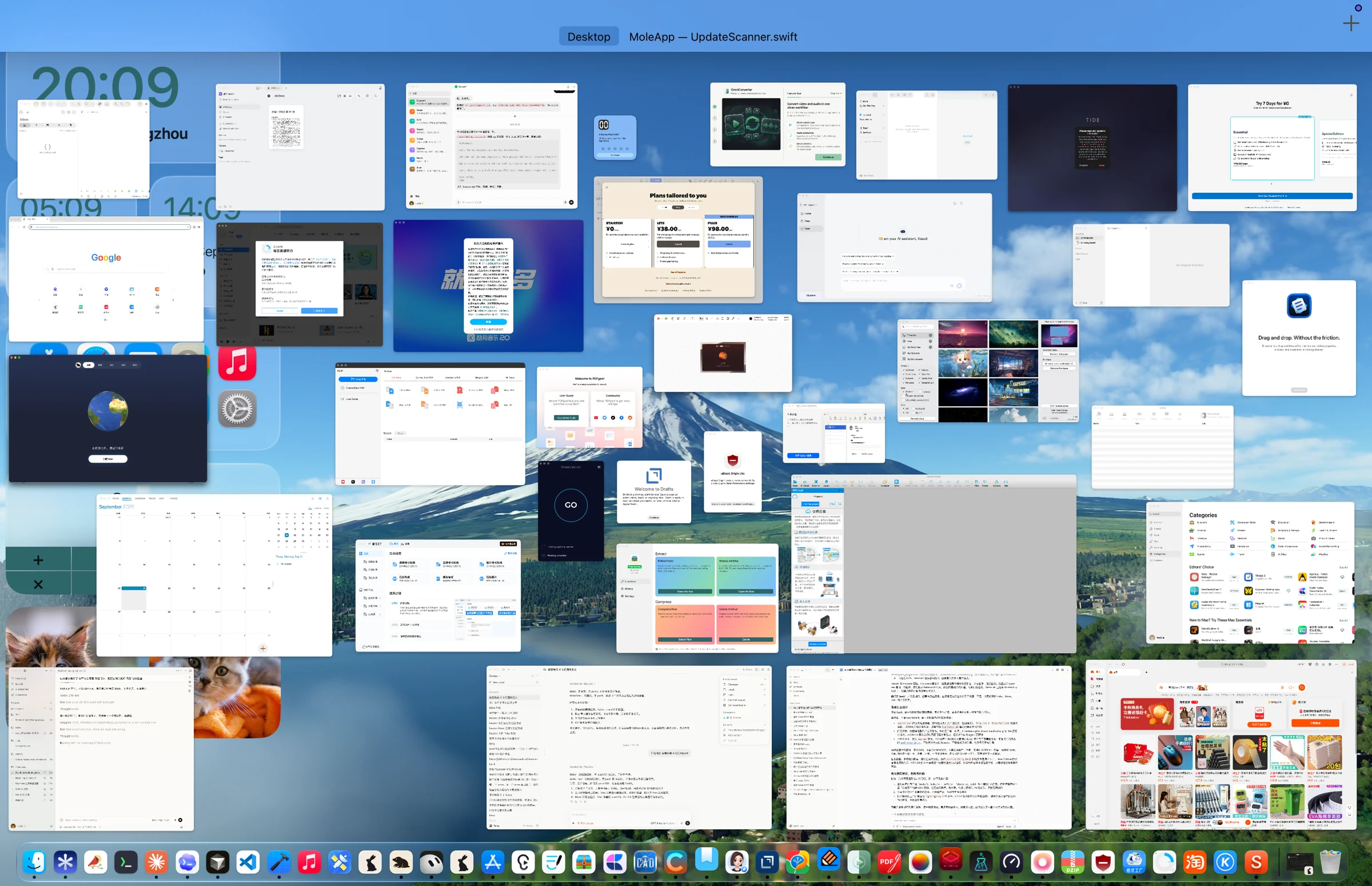
The work can be boring, and installations bring plenty of interruptions: permission prompts, purchase screens and requests for an administrator password. The agent handles most of it; I help with the rest. One surprise was that it wrote scripts for installing, uninstalling and checking leftovers to make its own work easier. I ended up being its assistant for part of the job.
Installation is only the beginning
The time-consuming part is following an app through its whole life on the Mac: its first launch, permission prompts, updates, startup items and eventual removal. Looking inside the installer misses directories created only after the app runs. Removing the app bundle alone does not tell us what happened to files it placed elsewhere.
For each batch, the questions are concrete: which app created this directory, who owns the updater helper, is the startup item still there, and what remains after removal? The actual path and its ownership have to be clear before it becomes a cleanup rule. A similar name is not enough. App Store and direct-download editions also deserve separate checks because the same product name does not imply the same installation or data locations.
AI can repeat these checks and script steps it has already worked out, but permissions, administrator passwords and uncertain ownership still need attention. Without it, I estimate the manual work would have taken ten times as long.
Some things need an actual installation
I expected software engineering to be orderly enough that testing 100 apps would cover most of the patterns. That expectation did not survive the work. Plenty of paths could not be found by a general rule, and some bundle identifiers did not even use reverse-domain notation. A convention that looks tidy on paper may be something a developer once filled in casually. I had to install and inspect each app.
The checks also corrected places where I had thought something should be cleaned but it should actually stay. An app’s cache, a person’s files and data shared by several apps cannot all be treated as rubbish just because they appear in the same directory. More testing also means finding more things to preserve.
Finding what should stay
That initial round of more than 300 apps added 13 reusable rule categories and over 90 precise cleanup paths. It also corrected more than 30 places I had thought should be cleaned but should not be touched, expanded update and startup checks, and added over 100 unit tests. These are the figures from that round, while the app list continues to grow.
The corrections matter as much as the newly found leftovers. A cache may be reproducible; a file someone wrote is not. Data shared by several apps should not disappear because one of them is removed. A file that looks abandoned may still be used elsewhere, so uncertain ownership is a reason to leave it alone.
A larger cleanup total is not the goal of the exercise. General rules cover repeatable patterns, unusual paths need individual confirmation, and tests preserve the cases that must not be deleted. That gives later rule changes a way to catch mistakes already found today.
An unexpected return from accessibility
Mole began adding support for people with visual impairments in its early versions, including accessibility attributes. Those attributes helped here too: AI could use them to locate the right controls and buttons more accurately. Work done earlier for people using the app ended up helping me test it.
Accessibility attributes describe more than a button’s position: they can expose its name, control type and current state. That gives a script a way to find the same control after the layout moves. A screenshot and fixed coordinates alone can point somewhere else when a window shifts or a dialog changes.
Those attributes are for people first. An AI finding a button does not prove that a person using VoiceOver can complete the task. Labels, focus order and whether results are announced still need checking. This work made me appreciate the value of designing for different ways of using a computer.
I expected the work after the first hundred apps to be mostly repetition, yet at 300 and 549 there were still new details. I want to keep installing and inspecting commonly used apps, then bring what I find back into Mole. These ordinary checks can make a difference at the moment someone actually removes an app.
If you build apps or websites, accessibility is also something you can ask your coding assistant to help with. It can make the product easier for people with visual impairments to use, and may make your own automated tests more reliable. I will keep doing these checks. The tested software list shows the apps recorded so far; you can suggest another app for a future batch.