Clear Developer Caches Without Breaking Builds
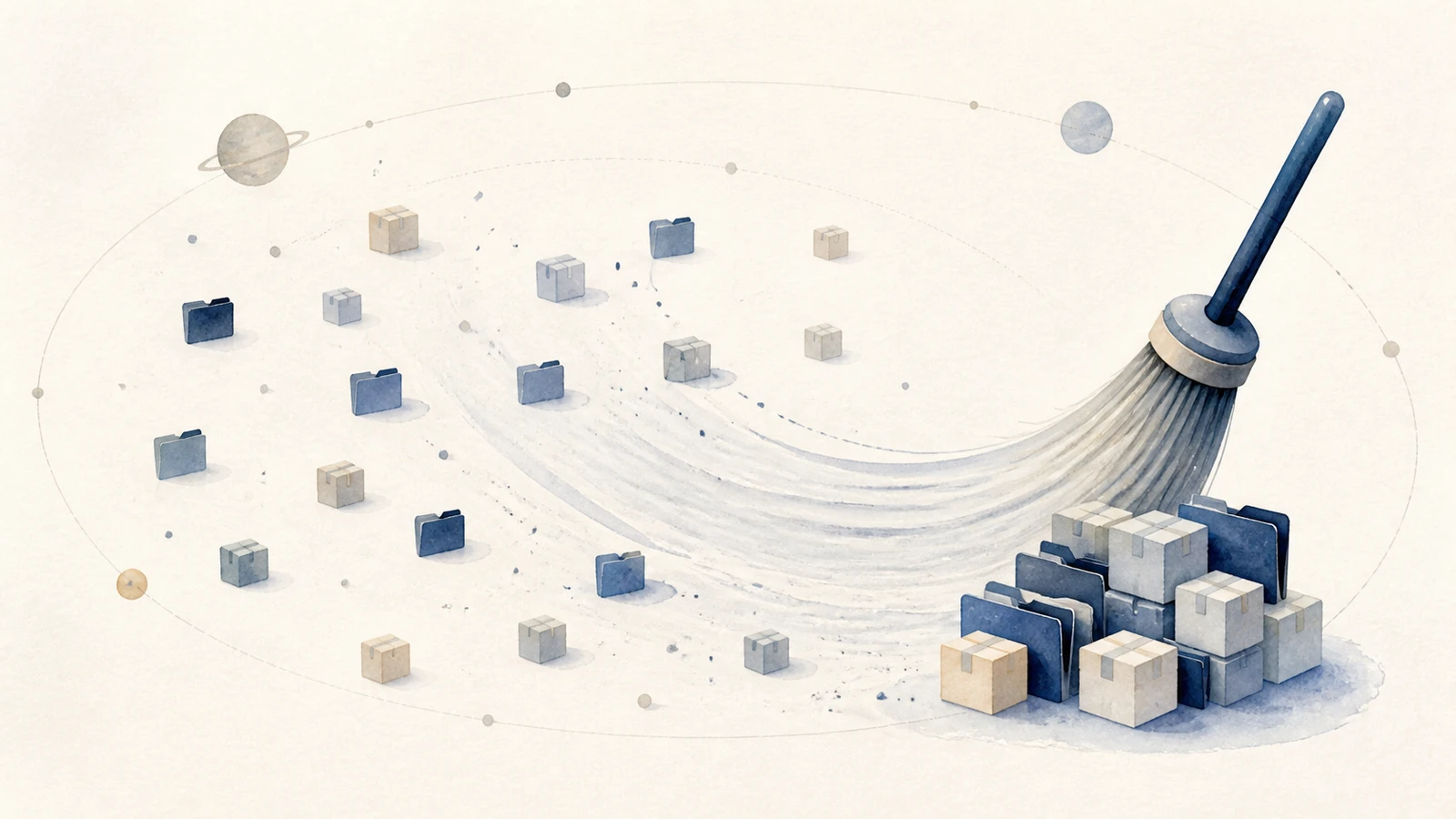
Developer storage is fragmented across package downloads, build output, SDKs, local databases, and per-project dependency trees. Some is reproducible, some depends on a lockfile and a registry that may later disappear, and some is unique local data. A safe cleanup proves which kind it found instead of assuming every dot folder is cache.
The global caches, by tool
Each package manager keeps a global store you can measure directly:
du -sh ~/.npm ~/.cargo ~/.cache/pip ~/Library/Caches/pip ~/.gradle 2>/dev/null | sort -h
These are defaults, not a promise. Ask the tool for its configured path when possible,
for example npm config get cache, python -m pip cache dir, and
pnpm store path.
- npm caches downloads in
~/.npmby default. Start withnpm cache verify; npm describes its cache as self-healing, sonpm cache clean --forceis mainly for deliberate space recovery or troubleshooting. - Cargo keeps registries and git checkouts under
~/.cargo, but the Cargo home can also contain installed binaries, configuration, package records, and registry credentials. Current Cargo periodically removes unused global cache entries during build and fetch commands. Let that policy work, or inspect exact cache subdirectories. Never remove all of~/.cargo. - pip caches wheels and HTTP responses in
~/Library/Caches/pipby default.python -m pip cache inforeports its actual location and size, whilepython -m pip cache purgeclears it. - pnpm and yarn keep their own stores;
pnpm store pruneandyarn cache cleanprune unreferenced or cached packages. Check the active package-manager version because store layout and local versus global cache behavior differ. - Gradle and Maven (
~/.gradle,~/.m2) can be huge on Android and JVM Macs. Gradle already performs periodic cache cleanup; stop its daemons before a manual review. A Maven repository may contain locally built or private artifacts that cannot be downloaded again, so inspect it rather than deleting the entire repository by default.
The cost can include a large download, a native rebuild, or a failed historical build when a registry version is gone. Verify the lockfile and source of each dependency before calling a store reproducible.
IDE caches are a separate layer. JetBrains IDEs keep caches, indexes, and Local
History under ~/Library/Caches/JetBrains, and JetBrains caches on
Mac covers which parts rebuild. Android Studio, although
built on the same platform, keeps its caches under
~/Library/Caches/Google/AndroidStudio* instead.
The scattered node_modules problem
The bigger surprise is usually not a single cache but the node_modules folders
spread across every JavaScript project you have ever touched. Each is self-contained
and often 200 to 500 MB, so ten old projects can hide several gigabytes. Find them
and their sizes:
find ~/www ~/Projects -name node_modules -type d -prune -exec du -sh {} + 2>/dev/null
Replace the example roots with the folders where you keep projects. -prune stops
find from descending into a matched dependency tree, and -exec handles spaces and
unusual characters in paths safely. A project can rebuild its dependencies only when
its source, lockfile, package manager version, registry access, and required native
toolchain are still available. Prefer the lockfile-specific command, such as npm ci,
after preserving those inputs.
Do not delete these
Package caches may be replaceable, but project source, manifests, and lockfiles are not.
package.json is a manifest; package-lock.json and Cargo.lock are lockfiles. They define the
build, so never sweep them. Deleting an active global store, such as a pnpm store shared
across projects, can interrupt installation or require downloads that are no longer
available. Stop builds and installs, then use the package manager's documented cleanup.
Under the hood: content-addressed stores, and why node_modules is the exception
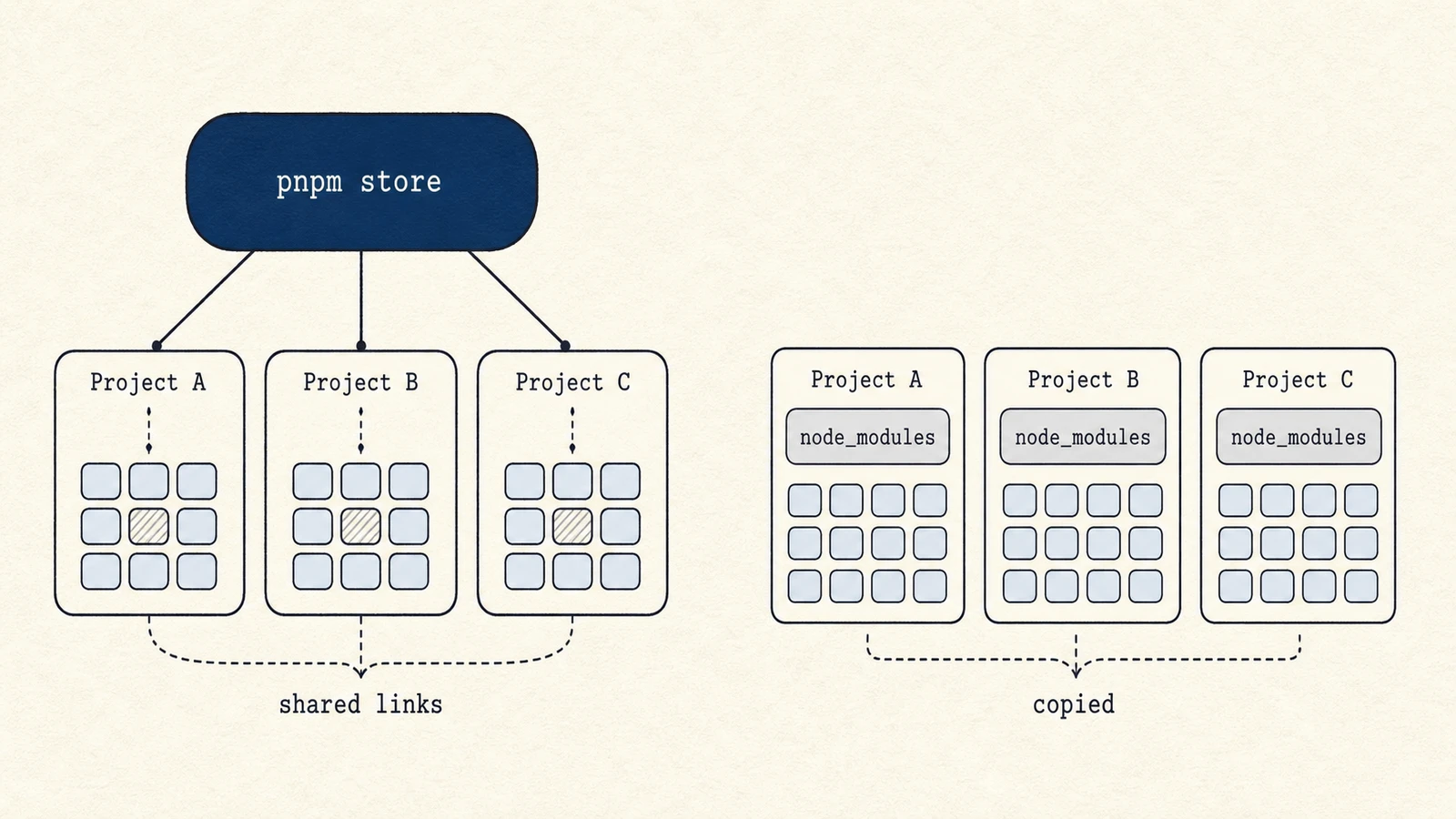
Many package managers use content-addressed stores to reduce repeated downloads. pnpm
keeps one global store of every package version and hard-links them into each
project's node_modules, so ten projects using the same library share a single copy
on disk. Cargo and Go caches also key downloaded content by version or checksum. That
protects integrity, but it does not guarantee future availability. A conventional npm
install materializes a dependency tree per project, while pnpm can link projects to a
shared store. This is why deleting one node_modules directory and pruning a shared
store have different blast radii.
Use maps for discovery, package managers for cleanup
The scattered nature is the discovery problem. A treemap such as Mole's Analyze view can reveal which project or store is large, but the package manager's own verify, prune, or clean command understands its index and references. Use the map to choose a target and the owning tool to change it.
A safe order of operations
Stop builds and daemons, measure selected project roots, verify package-manager stores, and preserve source plus lockfiles before removing a dependency tree. Use documented prune commands rather than deleting an entire home-directory dot folder. Rebuild one project before emptying Trash. The purpose is to remove reproducible output while retaining the information needed to reproduce it.